

Do Private Practices Really Need Separate EHR, Billing, Scheduling and Telehealth Systems?
Running a private medical practice is no longer just about choosing an electronic health record. Today’s practices rely on technology for nearly every stage of the patient journey from scheduling and intake to clinical documentation, telehealth, billing and follow-up.
That creates an important question for physicians:
Do you really need a separate system for every part of your practice?
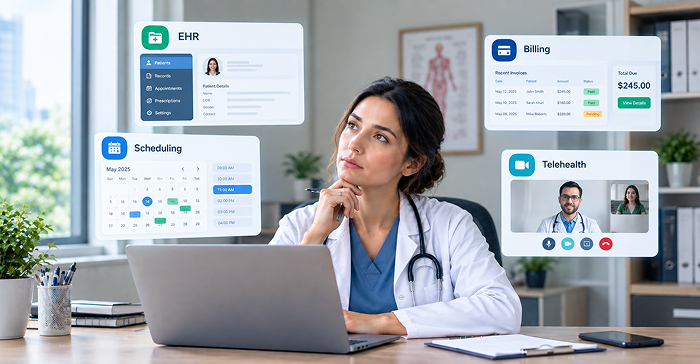
For some practices, the answer may be yes. Specialized systems can make sense when a practice has highly specific clinical, billing or operational requirements. But for many smaller and growing practices, maintaining several disconnected applications can introduce another problem: the technology itself becomes something the practice has to manage.
A patient may schedule in one application, complete intake in another, meet the provider through a third, have the encounter documented in an EHR, and then have billing handled somewhere else.
Each individual application may work perfectly well. The problem is what happens between them.
The American Medical Association emphasizes that physicians need digital health technologies that integrate smoothly with practice operations. Its digital-health guidance focuses not merely on adopting technology, but on implementing it in a way that fits real clinical workflows.
That distinction is at the heart of the modern private practice tech stack.
What Is a Private Practice Tech Stack?
A private practice tech stack is the collection of digital tools a practice uses to run its clinical and business operations.
At a minimum, that can include an EHR, appointment scheduling, medical billing and telehealth. Depending on the practice, it may also include patient engagement, electronic prescribing, intake forms, payments, messaging, analytics, credentialing and other tools.
The traditional approach is to purchase each capability independently.
That might look like:
EHR + Scheduling Software + Telehealth Software + Billing Software + Patient Communication Software
On paper, this seems reasonable. Each product is selected for a particular job.
But healthcare workflows don’t naturally happen in isolated boxes.
A patient doesn’t experience “scheduling” and “EHR” as two different processes. They experience making an appointment with their physician.
Similarly, a provider doesn’t think of documentation and billing as unrelated activities. The clinical encounter produces information that may ultimately support the practice’s billing workflow.
This is why the quality of the integration between systems can be just as important as the quality of the individual products.
Read more: How successful practices scale without burning their staff
Do Private Practices Really Need Separate EHR, Billing, Scheduling and Telehealth Systems?
Not necessarily.
There is nothing inherently wrong with using separate systems. In fact, some practices may benefit from choosing specialized products for particular functions.
The problem occurs when separation creates unnecessary work.
Imagine a patient schedules a telehealth appointment. The front desk has to enter the appointment into the scheduling system. The provider later finds the patient in the EHR. The patient receives a separate link for the virtual visit. After the encounter, billing staff need the information required to submit the claim.
If these systems don’t communicate effectively, people become the integration layer.
That means staff may spend time copying information, checking whether data transferred correctly, resolving mismatches and moving between multiple interfaces.
The technology may technically be “integrated,” but the workflow can still feel fragmented.
This is why the better question isn’t:
“How many systems does my practice have?”
It is:
“How many unnecessary steps does my team have to complete because those systems are separate?”
That is a much more useful way to evaluate a private practice technology stack.
Why a Fragmented Technology Stack Can Become a Problem
Fragmentation rarely causes one dramatic problem. Instead, it creates dozens of small inefficiencies.
- A staff member logs into another system.
- A patient enters information twice.
- A provider opens another browser tab.
- A billing employee checks whether an encounter was documented.
Someone contacts another vendor because an integration isn’t behaving as expected.
Individually, each task might take only a few minutes.
Across hundreds of appointments, however, those small tasks can become a meaningful operational burden.
This is especially important for smaller practices because they often don’t have a large IT department dedicated to maintaining integrations and troubleshooting software.
For a five-provider practice, for example, the question isn’t simply whether each application has good functionality.
The question is whether the combination of applications makes the practice easier or harder to operate.
The AMA similarly emphasizes that physicians need technology that works within real-world practice operations rather than creating additional administrative friction.
1. EHR: The Clinical Foundation
The EHR remains one of the most important components of a private practice technology stack because it houses the patient’s clinical information and supports documentation.
But an EHR should not be evaluated only by asking:
“How good is the charting?”
That’s important but it is only one part of the workflow.
A physician also needs to know what happens before the patient enters the exam room or virtual visit and what happens afterward.
For example:
Appointment → Patient information → Encounter → Documentation → Billing
If the EHR is disconnected from the other steps, the practice may need additional tools and manual processes to complete the journey.
That doesn’t automatically make a standalone EHR a bad choice.
It simply means practices should evaluate the EHR as part of the larger operating system of the practice.
What to evaluate
Rather than simply counting features, ask:
- How quickly can a provider document a typical encounter?
- Does scheduling connect to the patient record?
- Can telehealth be accessed from the same workflow?
- How does information move into billing?
- Can the practice export its data?
- Can the system support the practice as it grows?
If you’re unsure whether your practice needs another EHR read this: Is Your EHR Holding Your Practice Back? | EHRCentral
2. Scheduling: The Beginning of the Patient Journey
Scheduling is often treated as an administrative function, but it is actually where the patient’s digital journey begins.
A patient chooses an appointment.
The practice needs to know which provider is available, what type of visit is being requested and whether the appointment should be in-person or virtual.
A good scheduling workflow should therefore do more than place an appointment on a calendar.
It should connect that appointment to everything that follows.
For example, a telehealth appointment should ideally connect the patient’s appointment information with the appropriate virtual-care workflow rather than forcing staff to recreate the same appointment somewhere else.
This is particularly important as practices increasingly incorporate virtual care. The AMA’s telehealth implementation guidance recommends evaluating telehealth technology alongside existing practice technologies and considering the entire workflow from scheduling through the visit and follow-up.
3. Medical Billing: Where Clinical and Financial Workflows Meet
Medical billing is another area where disconnected systems can create friction.
A clinical encounter doesn’t exist independently from the financial side of a practice.
The provider documents the encounter. Appropriate information is captured. Coding and billing workflows use the necessary information. Claims may then be submitted and payments tracked.
When these activities occur across disconnected applications, staff may need to transfer or reconcile information.
That doesn’t necessarily mean the information is wrong. It means the practice has introduced additional opportunities for manual work.
For a small practice, that can be particularly important.
The goal of technology isn’t simply to automate billing. It should help create a more connected path from:
Patient visit → Documentation → Billing workflow → Payment
The exact billing requirements will vary significantly by specialty, payer mix and practice model, so practices should evaluate billing functionality against their actual revenue-cycle needs rather than assuming that an “all-in-one” label automatically means the system will meet every requirement.
4. Telehealth Should Be Part of the Workflow Not Just a Video Link
Telehealth is another area where practices can easily end up with a disconnected experience.
A common model is:
EHR + separate scheduling system + separate video platform. That may work.
But consider the patient’s actual experience.
They schedule an appointment.
They receive instructions.
They complete intake.
They receive a video link.
They join the appointment.
The provider documents the visit.
Billing handles the encounter.
That’s an entire workflow, not simply a video call.
The AMA specifically recommends thinking about telehealth as a workflow that includes scheduling, patient care, documentation and billing considerations.
This is one reason integrated telehealth can be valuable.
When telehealth is connected to scheduling and the patient’s clinical workflow, there may be fewer transitions for both patients and providers.
5. Patient Engagement Is Part of the Technology Stack Too
Another gap in many private-practice technology discussions is the patient experience.
Technology isn’t only something staff use.
Patients interact with it too.
They may use an online scheduling page, complete digital intake forms, receive reminders, access a patient portal or join a telehealth appointment.
If every part of that journey uses a different system, patients may experience the fragmentation directly.
They may receive different emails from different platforms, create multiple accounts or be redirected between systems.
An integrated approach can potentially make the experience more coherent.
The objective isn’t necessarily to eliminate every external tool.
It’s to make sure the technology patients encounter feels like one practice, rather than a collection of unrelated applications.
Is an All-in-One Platform Always Better?
No and this is an important point that should be included in any credible healthcare software discussion.
“All-in-one” is not automatically synonymous with “best.”
A practice should not choose a platform simply because it has the longest feature list.
Instead, evaluate depth, usability and integration.
An all-in-one platform that does everything poorly isn’t a good solution.
But an integrated platform that handles the core workflows well can eliminate a significant amount of unnecessary complexity.
The real question is:
Does the platform actually connect the workflows, or does it simply put multiple modules under one login?
That’s a distinction practices should test during a software demonstration.
What Is the Easiest EHR to Use?
There isn’t one universally “easiest EHR.”
Ease of use depends on the specialty, workflow, provider preferences and practice structure.
More importantly, an EHR can have an intuitive interface and still be difficult to use operationally.
Imagine that a provider has to:
- Open the scheduling application.
- Find the appointment.
- Open the EHR.
- Find the patient.
- Open a separate telehealth application.
- Conduct the visit.
- Return to the EHR.
- Complete documentation.
- Open another application for billing.
Every application might be well designed. The workflow isn’t.
So instead of asking vendors:
“Is your EHR easy to use?”
Ask them to demonstrate a real patient scenario.
For example:
“Show me what happens from the moment a new patient books a telehealth appointment until the encounter is documented and ready for billing.”
That single demonstration can reveal much more about usability than a marketing claim.
See how this all-in-one approach can work for your practice in a personalized EHRCentral demo.
Separate Software vs. One All-in-One Platform
The choice becomes easier when practices stop thinking about software categories and start thinking about workflows.
Separate systems may be appropriate when:
- You have highly specialized requirements.
- Your current systems already work well together.
- You need advanced functionality unavailable in an integrated platform.
- Your practice has dedicated IT resources.
- Your billing operation requires specialized technology.
An integrated platform may be attractive when:
- You are starting a new practice.
- Your team is small.
- You want fewer vendor relationships.
- You are tired of duplicate data entry.
- Telehealth is central to your care model.
- You want scheduling, EHR and billing connected.
- You expect your practice to grow.
How EHRCentral enhances your healthcare practice?
The important point is that consolidation should be driven by workflow—not by the promise of having fewer logos on your desktop.
The Security and Compliance Question
Healthcare technology also has another consideration that ordinary business software doesn’t: protected health information.
When multiple vendors handle PHI, the practice needs to understand the responsibilities associated with each relationship.
HHS explains that business associates can include organizations providing services such as billing and practice management when those services involve PHI.
HHS also provides specific guidance regarding cloud service providers that create, receive, maintain or transmit ePHI on behalf of covered entities. In those circumstances, a HIPAA-compliant business associate agreement may be required.
That does not mean an all-in-one system automatically makes a practice HIPAA compliant.
It doesn’t.
The practice still needs appropriate policies, procedures, workforce controls, risk management and other safeguards.
But reducing unnecessary vendor relationships can make the technology environment easier to understand and manage.
During vendor evaluation, ask about:
- BAA availability
- Data security
- Access controls
- Authentication
- Audit logging
- Data backup
- Disaster recovery
- Data export
- Subcontractors
- Incident response
- Data retention
The Hidden Cost of Managing Multiple Systems
There’s another cost that rarely appears on software pricing pages:
The cost of complexity.
Suppose a practice pays for four different systems.
The monthly subscriptions are easy to calculate.
What is harder to calculate is the time employees spend:
- Learning each application
- Switching between applications
- Resetting passwords
- Managing user permissions
- Troubleshooting integrations
- Reconciling information
- Training new employees
- Contacting different vendors
- Maintaining multiple workflows
For a growing practice, these costs can become significant.
This is why the cheapest software stack isn’t necessarily the least expensive technology strategy.
A better calculation is:
Software cost + implementation cost + training + administrative time + integration management + workflow friction
That is the true technology cost of running the practice.
Your Private Practice Should Run Like One Business
This is ultimately the strongest argument for an integrated healthcare platform.
A private practice isn’t actually five businesses.
It isn’t an EHR business, a scheduling business, a telehealth business and a billing business operating independently.
It is one healthcare organization serving patients.
The technology should reflect that.
When a patient books an appointment, the information should move naturally into the clinical workflow.
When a provider conducts the visit, documentation should support the next step.
When appropriate, the financial workflow should receive the information required to continue the revenue cycle.
The fewer unnecessary handoffs between these activities, the simpler the practice can be to operate.
mHospital: More Than Just Another EHR
This is where the distinction behind mHospital becomes important.
Your entire practice technology stack can live in one connected healthcare platform.
Instead of asking a practice to assemble separate solutions for EHR, billing, scheduling and telehealth, the all-in-one model brings these core workflows together.
That means the conversation moves away from:
“Which EHR should I buy?”
and toward:
“How do I want my practice to operate?”
That’s a much more meaningful question for an independent physician.
Because the purpose of technology isn’t to give practices more software.
It’s to help them run healthcare with less unnecessary complexity.
Final Takeaway
Private practices don’t necessarily need separate EHR, Billing, Scheduling and Telehealth Systems.
They need those capabilities.
Whether those capabilities live in four specialized applications or one integrated platform is a strategic decision.
For some practices, specialized systems will remain the right answer.
For others particularly small and growing practices an integrated all-in-one platform can provide a simpler technology foundation.
The most important thing is to stop evaluating software one feature at a time.
Instead, evaluate the entire patient journey:
Schedule → Intake → Visit → Documentation → Telehealth → Billing → Follow-up
Then ask:
How many systems, logins and manual handoffs does my team need to complete that journey?
That is the real test of a modern private practice tech stack.
And that is why mHospital’s approach is bigger than simply offering another EHR.
It’s about giving private practices a complete healthcare system rather than asking them to assemble one themselves.